Managing incidents and the life cycle behind them can be a daunting ordeal. From the first step of identifying and declaring an incident to activities during the incident, such as call/chat triage to investigate and fix the issue, to the actions taken during the incident. Then, when the incident is over, properly closing the incident and ensuring that a post-mortem is done, an Incident Report is created, and RCA is identified during the process. The next steps are to permanently mitigate or write run books to continue to manage the incident if it ever occurs.
All these operations require time, effort, policies, and multiple tools to achieve, orchestrate, and coordinate during every incident. With Agentic AI, this can be made more efficient.
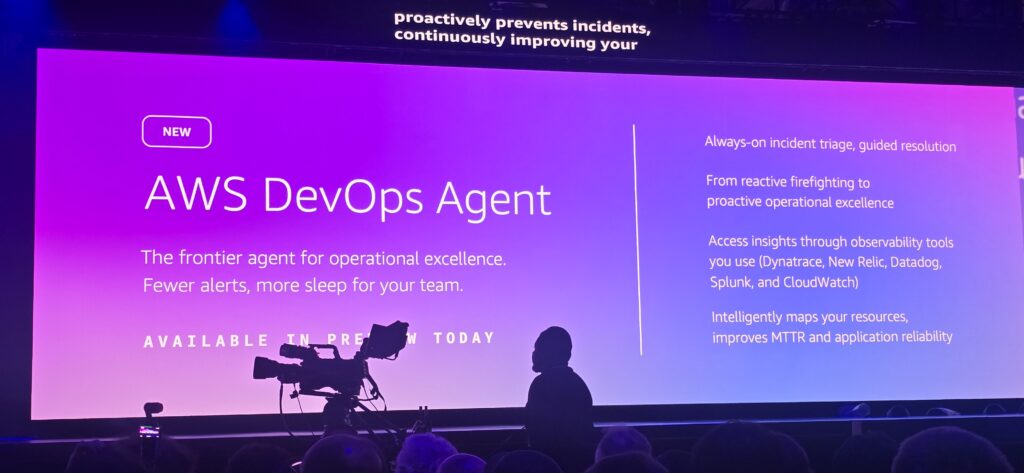
Introducing AWS DevOps Agent you a step agent that serves as:
- A virtual on-call engineer
- A virtual SRE
- Always on and highly collaborative
Here’s a clean, concise paraphrased version:
AWS DevOps Agent functions as an always-available, autonomous on-call engineer. When an incident occurs, it automatically analyzes signals across your operational ecosystem—metrics, logs, and recent GitHub or GitLab deployments—to pinpoint likely root causes and suggest precise fixes, helping cut down MTTR. It also coordinates incident response, posting updates in Slack and maintaining a detailed timeline of its analysis.
Getting set up is done through the AWS Management Console, where you link the agent to your existing tools. It integrates with major observability platforms, including Amazon CloudWatch, Datadog, Dynatrace, New Relic, and Splunk, and works seamlessly with GitHub Actions and GitLab CI/CD to track deployments and their impact. With its Bring-Your-Own Model Context Protocol (MCP) server feature, you can also integrate custom internal tools or open-source systems, such as Grafana and Prometheus.
The agent behaves like a virtual team member and can automatically act on incidents created in your ticketing systems. It supports ServiceNow natively and can process events from tools like PagerDuty via webhooks. Throughout the investigation, it keeps tickets and Slack channels updated with its findings. Under the hood, it relies on an intelligent application topology—a dynamic map of all your system components, their relationships, and deployment history—to quickly surface deployment-related issues during incident analysis.
See more about how to set up and use the AWS DevOps agent in the AWS Management Console.